
Have you had a bank or other important account ask you if you want to use an authenticator application?
An authenticator application is a small app on your phone that helps prove you are really you when you sign in to an account. Apps like Google Authenticator and Microsoft Authenticator are popular choices (I have both on my phone). They are free and easy to set up.
Most websites walk you through it with simple instructions and a QR code you scan with your phone.
An authenticator app adds a second step, like a second lock on a door. After you type your password, the authenticator app gives you a short code (usually a 6 digit number) to type in, or it pops up a message that lets you tap “Approve.” That extra step makes it much harder for someone else to get in, even if they know your password.
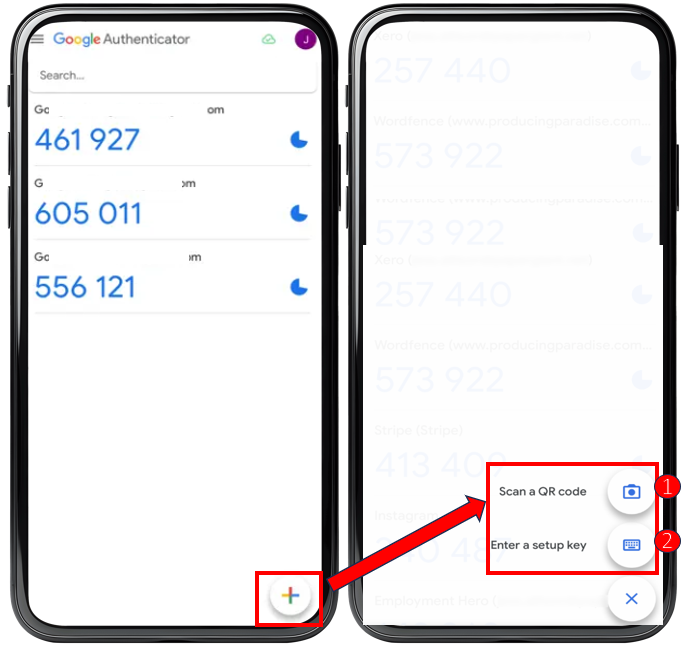
Hint: When the 6-digit numbers turn red, it means the code is about to change. I wait until I get the new number and then type it into the website that I’m trying to access.
You may have seen accounts that send a code by text message. That is better than nothing, but it is not the safest option. In some scams, criminals can take over a phone number and receive those text codes. An authenticator app is safer because the codes stay inside the app on your phone.
If you only set this up for one account, do your email first. Email is the account that can reset passwords for your other accounts. Once your email is protected, add the authenticator app to banking, shopping, and social media. It takes a few minutes and can save you from a big headache later.