My husband’s CreditKarma account was taken over a few weeks ago.
We had each set up our accounts years ago when we wanted to see our credit history before purchasing a house. My husband used a password that he frequently used on multiple sites. One of those other websites had a security breach where the email addresses and passwords were stolen.
Hackers have automated tools that try those emails and passwords across thousands of sites in order to break in. They were successful logging in to CreditKarma with one of his email addresses and a password he used in multiple places.
Luckily he was notified by CreditKarma about the password reset, so he used the chat feature on the official Credit Karma website and they were able to delete his account completely.
Every year we get a fresh reminder that attackers do not need movie-style hacking. They just need us to keep doing what humans do when we are tired, busy, or trying to get through a signup screen as fast as possible.
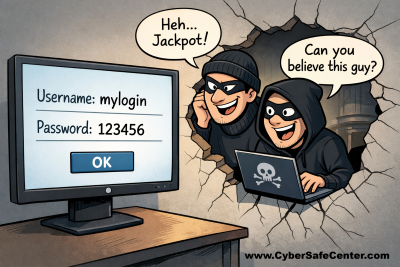
When I saw the password he had saved into our password manager, I was in shock. It was an extremely “weak” password of four characters and four numbers and he used it in many places but I didn’t know it was on a website that has all our credit history (but luckily our credit is frozen as I recommended in this article).
The practical outcome is simple: if a password is common, short, or reused, it is not a lock. It is a speed bump.
Most people are not defending one account. They are defending dozens. When one site leaks login data, attackers try the same email and password everywhere else. That is credential stuffing, and it is why “I only use that password on one site” is a statement worth verifying, not assuming.
According to NordPass’s 2025 analysis, “123456” continues to show up as the world’s most common password, and that is not a quirky trivia fact. A GovTech summary of 2025 data points to “admin” as the most common password in the U.S., followed closely by classics like “password” and number sequences (“123456”, “12345678”, “123456789”).
You do not need superhero-level memory. You need better defaults.
1) Use a password manager for the heavy lifting.
Let it generate long, random passwords for accounts you rarely type (shopping sites, forums, airline accounts, subscriptions). Read more about password managers in my article here.
2) For the passwords you must type, use passphrases.
A long passphrase (several unrelated words) is easier to remember and harder to crack than “Summer2025!” style passwords.
3) Turn on multi-factor authentication, but pick the stronger options.
Or move to passkeys as I explained in this article when a service offers them.
4) Fix the “top five” accounts first.
If you only do one thing today, do it where it matters most:
- Email (because it resets everything else)
- Financial accounts
- Mobile carrier account (SIM swap risk)
- Cloud storage and photo backups
- Primary social accounts
Passwords are not going away overnight, but the “passwords as your only line of defense” era is ending. The safest move is to assume attackers can guess what humans guess, then build your logins so guessing stops working.